Categories
 Accessoires & Beaux Arts
 Beaux Arts
 Bureautique
 Outils d'écritures
 Papeterie
MEILLEURES VENTES
-
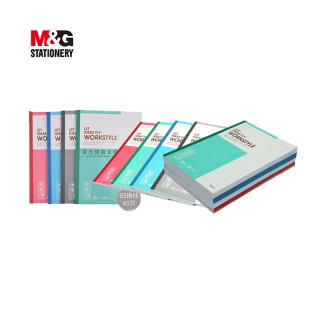 Bloc note B5 30 à 160F
Plage de prix : Ar 2,040 à Ar 7,740
-
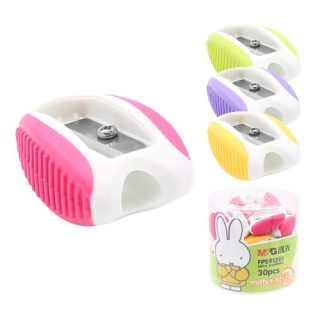 Taille Crayon Miffy simple
Ar 1,530
-
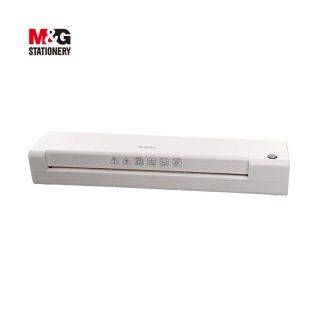 Plastifieuse A4 /A3
Plage de prix : Ar 170,940 à Ar 214,830
-
 Trousse double fermeture disney
Ar 35,230
-
 Pate à modeler 6 clr
Plage de prix : Ar 3,400 à Ar 7,710
Most people who try to wind down with a screen do it badly: full brightness, autoplay on, a playlist that jumps from a soft piano piece to a trailer with a brass hit. The result is a bedtime routine that looks calm and measures as stimulation. Ambient video can work as a genuine wind-down tool, but only when a handful of settings are treated as fixed parameters rather than preferences. This checklist covers the four that matter: screen brightness, scene stability, audio choice, and a repeatable nightly sequence.
The case for video as a sleep aid is not obvious, so it is worth being precise about what it does. A cozy ambience video does not force drowsiness. It removes the two things that keep a tired brain alert: silence that invites rumination, and visual novelty that keeps attention scanning. A slow 4k ambience fireplace loop with relaxing instrumental music underneath gives the eyes something low-contrast to rest on and masks the household noises that pull people out of light sleep. That is a narrower claim than most sleep content makes, and it holds up better.
The checklist below is ordered by impact. Brightness first, because a bright panel at 11pm suppresses melatonin regardless of what is playing. Scene cuts second, because a hard cut from a cabin interior to a night skyline produces a visual startle that undoes ten minutes of settling. Audio third, since volume and content type matter more than genre. The timer and sequence last, because the first three only become automatic if they run in the same order at the same time each night. None of these steps requires new hardware, and each one can be locked in place in under a minute.
Why Ambient Video Belongs in Your Bedtime Ritual
A TV left playing at full brightness with fast cuts and dialogue does two things at once: it keeps the visual cortex busy and it keeps the room bright. Neither helps you fall asleep. Ambient video is a different category of content. It is designed to be ignored for long stretches, which is exactly what a wind-down routine needs from a screen.
The mechanism is simple. Sleep onset depends on a slow shift in arousal, and the body takes cues from light level, sound texture and predictability. A cozy ambience video with a static or slowly drifting frame, warm color temperature and quiet relaxing instrumental music delivers all three cues in the same direction. Nothing in the frame asks you to track a plot. Nothing in the audio spikes. After 10 to 15 minutes the room is darker, the sound floor is steady, and the brain has less to process.
Channels built for this format, such as Ambient Glow TV, publish long calm ambience videos on YouTube that run 1 to 8 hours without narration. Their catalog covers winter cabins with a crackling fireplace, rain ambience, holiday ambience in 4K and gentle piano, acoustic guitar and mellow jazz. The content is deliberately undemanding. That is the point.
Where most people go wrong is treating ambient video as a switch rather than a sequence. They open YouTube at 11:40 pm, land on a bright thumbnail grid, pick a random video, leave autoplay on, and then wonder why the wind-down never took. The screen is doing the opposite of what they intended: high luminance, unpredictable transitions, and an interface engineered to hold attention.
A checklist fixes that. Four items, performed in the same order every night:
- Dim the display to roughly 20% brightness and lock it there.
- Choose footage with no sudden scene cuts, ideally a single 4k ambience loop.
- Pair it with quiet relaxing instrumental music or deep sleep sounds, and mute autoplay.
- Set a sleep timer and a fixed screen-off cue.
Each item removes one source of arousal. Together they turn a general-purpose screen into a dedicated wind-down tool. The rest of this guide walks through each step with specific settings and the trade-offs behind them, including why the brightness number matters more than the video choice, and why a screensaver video loop beats a playlist of short clips for sleep music.
Checklist Item 1: Dim the Screen to 20% Brightness
A 55-inch TV at default « Standard » picture mode typically outputs 200 to 350 nits. In a dark bedroom, that is roughly the same luminance as a lit office wall. Your eyes adapt to the brightest object in the room, so a full-brightness screen at 11 p.m. tells your visual system it is still daytime. Dropping the panel to about 20% brightness cuts that output to 40 to 70 nits, close to a dim table lamp. The goal is not a barely visible picture. It is a picture dim enough that the room still reads as dark.
The mechanism worth knowing: bright light hitting the retina, especially blue-weighted light, suppresses melatonin release and delays sleep onset. A 2019 study in Sleep Medicine found evening screen exposure at high brightness pushed melatonin onset later by roughly 30 minutes compared with dim conditions. Twenty percent is not a clinical threshold. It is a practical target that keeps a 4k ambience video watchable while removing most of the light punch. If your panel has a dedicated « Movie » or « Night » preset, that mode usually lands near this level already, since it also lowers contrast and warms the color temperature.
How to set it once and lock it
Most people fail here because they adjust brightness nightly and drift back up. Fix the level in the picture settings menu, not with the remote’s quick-brightness button, and treat it as permanent:
- Turn the room lights off first, then lower brightness until the screen is just brighter than a candle. On most sets that lands between 15 and 25 on a 0 to 100 scale.
- Disable « Ambient Light Sensor » or « Eco Mode » if it exists. Auto-brightness will push the panel back up when a lamp is on.
- Enable any « lock picture mode » or « hotel mode » option, or set the input’s default picture mode so the TV returns to it after standby.
- On a monitor or laptop, use the OS night-light schedule set to 100% warmth after sunset, and cap the hardware brightness slider at 20%.
- Check the level from your pillow, not standing at the TV. Viewing angle changes perceived brightness by 10 to 20%.
One trade-off: at 20%, dark scenes in atmospheric videos lose shadow detail and can look muddy. Pick footage with a warm, mid-tone palette, such as a winter cabin with a crackling fireplace, rather than a night-sky loop. Write the number on a sticky note if your household shares the remote. The setting only works as a ritual if it is the same every night.
Checklist Item 2: Choose Videos With No Sudden Scene Cuts
A hard cut from a dark cabin interior to a bright snowfield is a visual startle. The pupil constricts, the visual cortex gets a burst of new information, and whatever parasympathetic drift you had built up over the previous ten minutes resets. If the goal is to fall asleep, that is the opposite of what you want at 11 p.m.
So the second item on the checklist is a filter, not a setting: pick footage that holds one frame or drifts slowly, and reject anything with cuts, zooms, or camera shake. A 4k ambience fireplace loop is the cleanest test case. The frame is essentially static, the only motion is flame and shadow, and there is no edit point for the eye to catch. Slow-panning landscape footage, such as the ambient loops you can find at https://www.youtube.com/@AmbientGlowTV, works too, provided the pan takes minutes, not seconds.
How to screen a video before you commit to it:
- Watch the first 90 seconds at normal brightness and count the cuts. More than one per minute is a no for bedtime.
- Scrub to the middle and the end. Loops sometimes hide a transition or a title card at the seam.
- Check for text overlays, subscribe prompts, and animated logos. Any moving graphic pulls focus.
- Confirm the resolution. 4K matters less for sharpness at three meters than for how slowly a slow pan reads on a large panel, but a soft 720p upload will look muddy on a 55-inch screen.
Ambient Glow TV publishes long calm ambience videos built around this constraint: winter cabins with a crackling fireplace, rain on glass, holiday ambience in 4K, all shot or assembled as single sustained scenes rather than edited sequences. That structure is what makes the channel usable as a 4K TV screensaver and study background, and it is why the fireplace loops work as deep sleep sounds rather than as entertainment.
One trade-off worth naming. Static footage gets boring fast if you are awake and watching. That is fine for a bedtime ritual, where boredom is the mechanism, and it is why the same video fails as background during a work call. Keep two playlists: one for concentration with a bit more visual variety, one for wind-down with none. The bedtime list should be short, five to ten videos, so you stop browsing at night.
Checklist Item 3: Pair the Visuals With the Right Soundtrack
Visuals set the tone, but audio decides whether the room actually gets quieter. A dim screen with a sudden orchestral swell or a compression-pumped ad is worse than no video at all. Treat the soundtrack as a separate decision from the picture, with its own rules.
Match the audio category to the job. For falling asleep, sleep music works best when it sits around 60 to 70 BPM, uses sustained pads or soft piano, and has no percussion transients. Relaxing instrumental music with gentle piano, acoustic guitar, or mellow jazz fits the pre-sleep hour when you are still reading or tidying up. Study music and concentration music have more rhythmic movement, which is fine at a desk at 7 p.m. and counterproductive at 11 p.m. Ambient Glow TV creates relaxing instrumental music built around gentle piano, acoustic guitar and mellow jazz, so the catalog itself maps to these three use cases. If you want a white noise alternative, rain ambience and fireplace sounds give you a broadband mask without melody, which some people find easier to ignore than music.
Set volume before you get into bed, not after. Two practical anchors: keep playback at roughly 30 to 40 percent of the device maximum, and check that you can hear a page turn or a partner speaking at normal volume over the track. If you cannot, it is too loud. Deep sleep sounds and rain ambience tolerate higher levels than piano because they have no melodic hooks to follow.
Then remove the ways the audio can surprise you:
- Turn off autoplay so the next recommended video does not start with a different mix or a louder master.
- Pick long-form video, ideally 3 to 10 hours, so the loop point arrives after you are asleep. Ambient Glow TV publishes long calm ambience videos for exactly this reason.
- Use a platform tier without ads, or download the video. A single mid-roll ad at 90 decibels undoes twenty minutes of wind-down.
- Avoid videos with hard audio transitions between tracks. Crossfaded or single-scene soundscapes are safer than compilations.
- Mute the TV’s own menu sounds and any notification chimes on the casting device.
One trade-off worth naming: a fireplace video with real crackle is more convincing than a looped sample, but crackle spikes can wake light sleepers. If that happens, switch to rain ambience and keep the fire on screen only.
Checklist Item 4: Set a Timer and a Repeatable Nightly Sequence
The first three items only work if they happen in the same order at roughly the same time each night. A ritual is a sequence, not a set of isolated good intentions. Write the order down once, tape it near the remote, and stop negotiating with yourself at 10 p.m.
A workable sequence looks like this: lights down in the room, screen brightness set to 20 percent, the chosen long-form video started, volume checked at a low fixed level, sleep timer armed, phone face-down. Six steps, under two minutes. The value is that step four never happens before step two, so you never get a bright screen at full blast in a dark room while you fumble for the settings menu.
Timers matter more than willpower. Most TVs and streaming apps offer a sleep timer in 30, 60, or 90-minute increments; pick one length and keep it fixed for a week before adjusting. If your display lacks a timer, a smart plug on a schedule does the same job and adds a hard cutoff the TV cannot argue with. The screen-off cue should be identical every night: the picture simply stops. That consistency is what turns dim-to-20 and no-scene-cuts into habits rather than chores.
Test the cutoff before you rely on it. Some apps keep playing audio after the display sleeps, and autoplay can queue the next video the moment the current one ends. Turn autoplay off, and if you are using a playlist, check whether it loops. A 4K ambience fireplace loop that runs eight hours is fine as a screensaver but useless as a sleep cue unless something stops it.
Track one variable at a time. For seven nights, log bedtime, timer length, and whether you were asleep before the screen went dark. If you consistently outlast a 60-minute timer, shorten it rather than lengthening it; the goal is for the video to end before you do. Ambient Glow TV publishes new cozy videos every week on YouTube, which is convenient for variety but a trap for ritual: rotating content nightly reintroduces decisions. Pick two or three favorites, keep them in one place, and let the rest of the catalog wait until the sequence is automatic. Once the order is boring, it is working.
Run the checklist once tonight as a timed sequence and measure it. A workable version: lights down at 21:45, display on at 20 percent brightness, a long-form video with no scene cuts loaded, audio at roughly 20 to 30 percent of the volume you would use at midday, and a sleep timer set for 45 minutes. Write the four steps on an index card and tape it where you reach for the remote, because the habit only sticks if the order never changes. After seven nights, compare your sleep-onset estimate against the previous week. If you cannot point to a difference, the ritual is not doing the work and you should change one variable at a time rather than adding more.
Two practical notes from people who run these videos nightly. First, save the exact video to a playlist so autoplay cannot hand you a louder, faster-edited recommendation at 23:00; a fireplace loop from a channel like Ambient Glow TV that publishes long calm ambience videos and new cozy videos every week is a safer default than a fresh search each evening. Second, keep the screen visible but out of direct eyeline if you can, and set the timer to fade rather than cut to black. Test a rain ambience or gentle piano track against your usual choice and keep whichever one you stop noticing after ten minutes. The best wind-down setup is the one boring enough that you forget it is on.