Categories
 Accessoires & Beaux Arts
 Beaux Arts
 Bureautique
 Outils d'écritures
 Papeterie
MEILLEURES VENTES
-
 Sac
Ar 20,480
-
 Scotch pour carton 48mm*40y (6pcs)
Ar 6,170
-
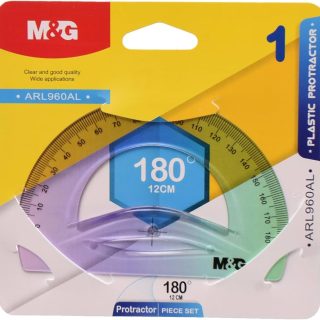 Rapporteur 12 cm
Ar 3,460
-
 Crayon de couleur mini 12c/24c
Plage de prix : Ar 3,580 à Ar 10,400
-
 Cartouche de toner laser
Plage de prix : Ar 55,290 à Ar 115,270
The START2026 code is easy to type and surprisingly easy to waste. It grants a 300% bonus plus 200 free spins to new Rainbow Spins customers, but the Rainbow Spins casino checks more than your account before it releases the welcome offer. It also looks at the handset you signed up on. A phone that has already carried a Rainbow Spins account, even one belonging to a partner, housemate or grown-up child, can quietly rule out the code before you have finished the registration form.
That is why the sensible order of work runs the other way round from what most people expect. Check the device first, then the Rainbow Spins sign up, then the deposit code. The checks below are the ones worth doing in the minutes before you submit anything: what the handset has stored, whether a previous welcome offer has already been claimed on it, and whether the Rainbow Spins app is installed cleanly rather than sitting in a half-finished state from an earlier attempt.
None of this takes long, and none of it requires technical knowledge. It does require honesty about who else uses the phone. Shared Android handsets are the single most common reason a first-time player is told the code has already been used, and the fix is usually a fresh browser profile or a different device rather than a call to support. Work through the steps in order and the code has a far better chance of landing where it should.
What the START2026 Code Unlocks and Who It Is For
The START2026 code is a deposit code, not a freebie. It unlocks a 300% bonus plus 200 free spins on a first deposit at Rainbow Spins casino, and it only works once per eligible customer. That single-use rule is where most of the trouble starts, because eligibility is judged against more than the e-mail address on the registration form.
What the Welcome Offer Actually Contains
The headline figure is a 300% match on the qualifying deposit, topped up with 200 free spins. The code goes in at the deposit stage, so creating an account first and entering START2026 later is the normal route. There is no separate « claim » button on the homepage; the code field sits in the cashier flow.
Two conditions shape who can use it. First, the account must be new, with no prior deposit history at Rainbow Spins. Second, the offer is tied to the person and the device, not just the login. A 300% bonus is a large liability for the operator, so the checks around it are stricter than for a standard reload promotion.
Minimum age is 18+, and identity verification is required before any withdrawal, not at the point of claiming. You can sign up and deposit with the code without uploading documents, but the money stays locked until a passport or driving licence and a proof of address clear review. Budget for that step early rather than at the first cashout.
Payment methods matter too. Some e-wallets are excluded from welcome offers as a matter of course, so check the terms before you deposit, not after. A deposit made with an excluded method will usually forfeit the bonus and the free spins with it.
The offer suits a first-time customer with a clean device and a single casino account. It does not suit a household where someone else has already claimed at Rainbow Spins on the same handset, or anyone reusing a phone that has held a previous account. That is why the next stage of this checklist deals with device fingerprinting before you touch the code field. Verifying the device first is quicker than arguing about a rejected code afterwards.
Entering START2026 is the last step, not the first. Confirm the handset, the account and the payment method before the code goes anywhere near the cashier.
Why Rainbow Spins Ties Bonuses to Your Device Fingerprint
Rainbow Spins does not treat the welcome offer as a purely account-level perk. The 300% bonus and 200 free spins attached to the START2026 code are tied to a device fingerprint as well as to the username and password on the account. That fingerprint is a composite of browser and hardware signals: user agent string, screen resolution, time zone, installed fonts, canvas rendering quirks, and, on mobile, the handset model and operating system build. Two accounts created on the same Android phone will usually share enough of those signals to look like one device to the risk engine.
The practical consequence is blunt. A genuine first-time customer can sign up, enter START2026, and still see the code rejected because someone else in the household claimed a Rainbow Spins welcome offer on that handset months earlier. The account is new; the device is not. Bonus abuse teams work on the assumption that a device is the scarcer resource than an e-mail address, so the device record carries the weight.
What the fingerprint records, in broad terms:
- Browser and OS version, plus the Rainbow Spins app build if the Android app from Google Play is installed.
- Screen metrics, language, and time zone settings.
- Canvas and WebGL rendering output, which varies subtly by hardware.
- Cookies and local storage left behind by previous sessions, including partial registration attempts.
None of this is unusual in the sector, and Rainbow Spins is not secretive about the wider principle: identity and address verification at withdrawal exists precisely to confirm that the person behind the account is the person the device record points to. The fingerprint is the early filter; the document check is the final one.
There is a legitimate flip side. Rainbow Spins supports Face ID and fingerprint sign-in in the browser, which means the same device binding that can disqualify a code also makes routine Rainbow Spins login faster once the account is verified. The binding is not a bug to be worked around; it is the mechanism that keeps the welcome offer pool from being drained by repeat claimants.
For a shared Android phone, the honest read is this: the moment a second person on the handset tries to claim START2026, the odds of a clean approval drop sharply, and no amount of clearing history reliably resets the hardware-level signals. The next section sets out what can be checked before the code is submitted.
Checklist: Verifying Your Device Before You Enter START2026
The START2026 code grants a 300% bonus plus 200 free spins, but the code only lands on a device that has not already carried a welcome offer. Work through the checks below before you type anything into the promo field.
Pre-Claim Checklist for a Shared Handset
- Clear the browser trail. In Chrome, open Settings, then Privacy and security, then Clear browsing data, and remove cookies and site data for the last seven days. On Safari, go to Settings, then Safari, then Clear History and Website Data. This wipes stored Rainbow Spins login sessions tied to the old user, not just the visible history list.
- Check for a previous welcome offer on the handset. If a partner, flatmate or family member has ever registered a Rainbow Spins casino account on this phone and claimed the welcome offer, the device fingerprint is already marked. Ask them directly. A quick test: open the site, tap Log in, and see whether a username is auto-filled. A prefilled username means a stored account exists on the device.
- Remove and reinstall the Rainbow Spins app. Rainbow Spins offers an Android app via Google Play. Uninstall it, then reinstall from a fresh Play Store session under your own Google account. A leftover install can carry cached identifiers from the previous user.
- Confirm your own device first. If you have a second phone or tablet that has never touched the site, claim there. The fingerprint is cleaner and the code is far less likely to be rejected.
- Prepare your details before submitting. Have your e-mail, date of birth and full name ready. Rainbow Spins requires identity and address verification at withdrawal, and mismatched details entered quickly during sign up create friction later.
- Check the clock on support. Rainbow Spins provides live chat support from 6:00 to 21:00 BST. There is no phone support line, so if a code fails outside those hours you will wait. Run the checklist during chat hours.
iPhone users can add the site to the Home Screen in Safari for a cleaner session, but note that this does not reset the fingerprint. Only a device that has never held a Rainbow Spins account, or a properly cleared one, gives you a fair shot at the 300% bonus.
Completing Rainbow Spins Sign Up and Login the Right Way
The registration form is short, and that is part of the problem. Most duplicate-device flags are triggered by haste rather than by anything deliberate: a mistyped date of birth, a name that does not match the payment card, or a promo code dropped into the wrong field. Work through the sequence slowly and the START2026 code has a far better chance of sticking.
Where the START2026 Code Goes and How to Sign In Afterward
Open the Rainbow Spins sign up page in a clean browser session. Enter your name exactly as it appears on your ID, your date of birth, e-mail address, and a UK mobile number. The promo code field sits on the same form, usually below the password fields. Type START2026 in capitals, with no leading or trailing spaces. If you paste it, check for a stray space afterward; the field does not always trim whitespace.
Choose a username and password you have not used on another gambling site. The Rainbow Spins login requires a username and password, and reusing credentials from a closed account elsewhere is a pattern the risk system can pick up. Confirm your e-mail, then return to the site and sign in. Do not create a second account if the confirmation link is slow; wait for the e-mail, check the spam folder, and use the forgotten password route if the first login fails. Duplicate sign-ups on the same handset are the single most common reason a welcome offer is voided before it is credited.
If you plan to use the Rainbow Spins app, install it before you enter the code, not after. The entity link is straightforward: Rainbow Spins offers an Android app via Google Play, and installing it after claiming can register as a second device on the account. iPhone users can add the site to the Home Screen in Safari instead, which keeps everything in one browser container. The browser also supports Face ID and fingerprint sign-in, a useful safeguard against password errors on shared hardware.
Finally, check the welcome offer lands before you deposit. The 300% bonus and 200 free spins tied to START2026 should appear in your account within minutes. If they do not, stop and contact support rather than depositing again, because a second deposit code entry on the same device is exactly the behaviour the fingerprint check is built to catch.
Troubleshooting Rejected Codes and Shared-Device Setups
A rejected START2026 code rarely means the code itself is dead. In most cases the system has matched your sign-up to a device or an account that already claimed a welcome offer. Before you contact anyone, re-read the error message and note the exact wording. « Code invalid » points to a typo or an expired campaign. « Offer already used » or a generic eligibility failure points to the device fingerprint or a prior claim on the handset.
Work through these checks in order, since each one removes a possible cause:
- Re-enter the code in capitals with no spaces: START2026, typed into the promo field during registration, not afterwards in the cashier.
- Confirm you are on your first Rainbow Spins account and have never taken a welcome offer here, including one claimed on a different device.
- Clear the browser cache and cookies, or open a private window, then try the Rainbow Spins sign up form again.
- If you use the Rainbow Spins app from Google Play, uninstall it, restart the phone and install a fresh copy before retrying.
- Check that nobody else in the household has registered from this handset, even with their own e-mail address.
If the code still fails, contact Rainbow Spins casino support through live chat, which runs from 6:00 to 21:00 BST. There is no phone support line, so chat or e-mail are the only routes. Have your registered e-mail, the exact error message and a screenshot of the code entry screen ready. Agents can see whether the block sits on the account or the device, and they can tell you if the offer has already been consumed on that fingerprint. Do not open a second account to « test » the code. That creates a duplicate, and identity verification at withdrawal will surface it, potentially freezing both balances.
Households sharing one phone need a different approach. The cleanest option is for the second person to use their own handset, or a desktop browser on a home connection, so the fingerprint is distinct from the start. If that is not possible, ask support in advance whether the device can be released from the first account before the second person registers. Expect a request for identity and address documents at that stage; the same verification applies at withdrawal. Remember the 18+ rule, and note that an unused account is charged a £5.00 fee every 30 days after 365 days of inactivity, so a spare account opened « just in case » costs money. If a claim goes wrong and you want out, account closure takes effect 72 hours after e-mail confirmation.
Before you touch the promo field, take two minutes on the handset itself: open your browser settings, clear cookies and site data for Rainbow Spins, then reopen the site and check you are signed out of any previous account. On Android, confirm the Rainbow Spins app is installed from Google Play rather than a sideloaded file, and that it is the only copy on the device. On iPhone, open Safari, tap Share and Add to Home Screen so you are working from a clean shortcut, then check the Home Screen for any older bookmark that might still hold a stale session. If the phone has passed through other hands, ask the previous user to confirm they never claimed a welcome offer on it, because the device fingerprint will already be linked and the START2026 code will fail without telling you why.
Once that is done, complete the registration form in one sitting with your real name and address, enter START2026 at the deposit step rather than before it, and keep the confirmation e-mail. If the code is rejected, contact live chat between 6:00 and 21:00 BST with your username and the exact time you submitted the code; there is no phone line, so chat is the only route. Expect identity and address verification before any withdrawal, and remember the 18+ rule applies to every account on a shared device. Set a reminder to log in at least once every 365 days, since a £5.00 fee applies every 30 days after that point of inactivity, and account closure takes effect 72 hours after e-mail confirmation. Do the device check first, then claim.